ServiceTitan Pantheon AI booking, ServiceTitan AI tools, AI booking software for ServiceTitan, AI scheduling ServiceTitan
5 min read
Going to ServiceTitan Pantheon? A Practical Checklist for Evaluating AI Booking

October 7, 2026





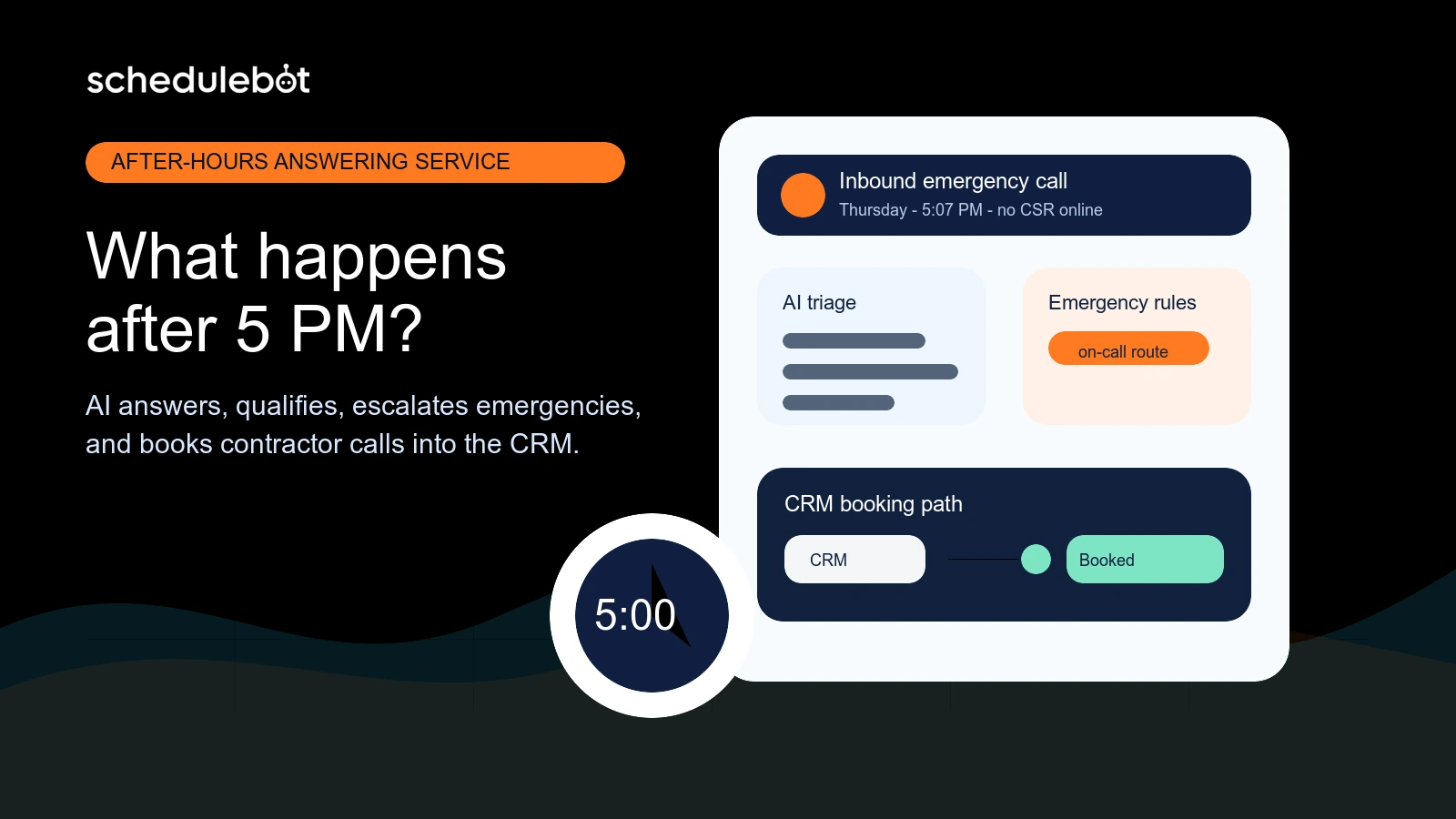
An after-hours answering service for contractors should answer every call after 5 PM, identify the customer's problem, qualify urgency, check service rules, route emergencies, and move qualified requests toward a booked job. For home service companies, the strongest setup connects AI phone answering with chat, forms, SMS, and CRM scheduling instead of only taking messages.
For HVAC, plumbing, electrical, roofing, and other home service contractors, the phones do not stop when the office closes. Customers notice water leaks after dinner. AC systems fail during weekend heat. Electrical problems show up on holidays. Roof leaks get worse during storms. If the call goes to voicemail, the customer often calls the next contractor in Google results.
That is why after-hours answering service is not just an administrative convenience. It is a revenue protection layer. The contractor already paid for the lead through SEO, Google LSA, PPC, referrals, trucks, reviews, and brand reputation. After 5 PM, the question is whether that demand becomes a booked job, a clean emergency escalation, or a lost opportunity.
After 5 PM, a contractor's answering workflow should do five things in order: answer quickly, understand the job, confirm whether the customer is serviceable, decide whether the request is urgent, and move the call into the right booking or escalation path.
That sounds simple, but most contractors know the handoff can get messy. A live answering service may capture a name and number, but the office still has to call back, re-ask questions, check the dispatch board, interpret urgency, and enter the customer into the CRM. If the customer had an emergency, the delay may already have cost the job.
A modern answering service for contractors should collect enough context to act. That includes the customer's name, phone number, address, issue, service category, urgency, customer status, preferred timing, and any emergency symptoms the contractor cares about. From there, the workflow should either book the job, trigger the on-call route, or create a clean lead for the office.
Most lost after-hours calls happen because customers have high intent and low patience. They are not browsing casually. They need a contractor, and they often need one soon. If the first company does not answer, the customer keeps searching.
The fix is not always hiring another full-time CSR or paying for a traditional call center. The better question is what parts of after-hours intake can be handled consistently by software, and where humans should still step in.
The right intake depends on the trade, but a strong after-hours workflow usually needs more than a message slip. For home service contractors, the system should capture:
That information matters because different calls need different paths. A homeowner with a leaking water heater, a commercial customer with no heat, and a prospect asking about an install estimate should not all receive the same after-hours treatment.
An emergency dispatch answering service should identify urgent calls quickly and follow the contractor's rules for escalation. It should not wake up the on-call team for every routine request, and it should not hide true emergencies in a next-day inbox.
For example, a plumbing company might escalate active leaks, sewer backups, no-water calls, and water heater failures, while booking routine fixture requests for the next business day. An HVAC company might route no-cool calls differently during peak summer than shoulder-season maintenance. An electrical contractor may need immediate escalation for burning smells, sparking panels, or safety hazards.
ScheduleBot supports this kind of rule-based intake by using configurable call routing, emergency settings, job types, service areas, priorities, and connected scheduling logic. The result is not just a message. It is a structured decision: book, escalate, transfer, follow up, or hold for office review.
Traditional answering services can be useful for basic coverage, especially when the only goal is to make sure a person picks up the phone. But many stop at message taking or generic dispatch. Contractors still inherit the work the next morning.
| Capability | Traditional answering service | AI call answering service |
|---|---|---|
| Answers after hours | Yes | Yes, 24/7 |
| Qualifies by trade and job type | Sometimes | Yes, based on configured contractor rules |
| Checks service area and urgency | Limited | Yes, when configured |
| Books into CRM availability | Usually no | Yes, for supported CRM workflows |
| Connects with chat, forms, and SMS | Usually separate | Yes, as one lead-to-booking workflow |
| Creates analytics on booked and unbooked leads | Limited | Yes, with tracked calls, chats, forms, texts, leads, and bookings |
The main difference is outcome. If the system only captures a message, the office still has to convert the lead later. If the system qualifies, routes, and books, the contractor gets closer to a real job on the board.
CRM booking is the difference between answering a call and operationalizing it. Contractors do not just need a transcript or note. They need the request to land in the place where dispatchers and CSRs already work.
ScheduleBot is built for home service companies that want 24/7 answering connected to scheduling. For supported systems like ServiceTitan and Housecall Pro, ScheduleBot can use configured booking rules and availability paths to move qualified requests toward real appointments. It can also create leads when the job needs human review instead of forcing a bad booking.
This matters for multi-branch contractors, high-volume shops, and teams with specific rules around territories, business units, job types, technician capacity, same-day windows, or emergency priority. A generic answering script does not know those rules. A CRM-connected workflow can respect them.
After-hours answering should support the office team, not dump more work on them. CSRs should come in to cleaner records, clearer context, and fewer lost opportunities. They should not have to decipher vague message slips or chase customers who already moved on.
ScheduleBot works as a CSR support layer across AI Voice, AI Chat, AI Forms, SMS, and follow-up. It handles routine intake, overflow, abandoned requests, and after-hours qualification so the team can spend more time on complex conversations, dispatch exceptions, membership questions, financing, reschedules, and customer relationships.
That is especially useful during peak season, storm events, lunch rushes, technician schedule changes, weekends, holidays, and marketing campaign spikes. The office does not have to choose between letting calls ring and adding headcount for uneven demand.
Contractors should measure after-hours answering by booked jobs and revenue opportunity, not just call volume. A call answered by an outside service is still a miss if it never becomes a scheduled appointment or a properly routed emergency.
The management question is simple: how much demand comes in when the office is closed, and how much of that demand becomes real work? Once contractors can see that number, after-hours answering becomes easier to evaluate.
ScheduleBot is not built to be another message-taking inbox. It is built to help contractors turn customer intent into booked work across calls, chats, forms, and texts. After hours, that means answering immediately, qualifying the request, applying contractor-specific rules, escalating the right emergencies, and booking or routing the job in the CRM.
For home service companies, that creates a better path than voicemail, generic scripts, or disconnected call notes. The customer gets a response now. The contractor gets cleaner data. The office gets fewer cold callbacks. Marketing dollars have a better chance of becoming booked jobs.
This article is part of ScheduleBot's broader guide to home service answering service and scheduling software, which covers the same lead-to-booked-job problem across HVAC, plumbing, electrical, roofing, and other field-service companies.
An after-hours answering service for contractors answers calls when the office is closed, collects the customer issue, checks urgency, and routes the request toward a booked job, callback, or emergency escalation. The best setup also connects with the contractor's CRM so the next step is trackable.
Yes. An AI call answering service can answer after-hours contractor calls, ask intake questions, classify the job type, confirm service area, follow emergency rules, and book or route the request when the workflow is configured for that business.
Emergency dispatch answering separates true urgent requests from routine calls and follows escalation rules for the on-call team. Message taking usually records the caller's information and leaves the office to decide what happens later.
ScheduleBot can replace or supplement a live answering service for many routine and after-hours workflows. It is strongest when contractors want 24/7 AI answering, qualification, SMS or chat follow-up, and CRM-connected booking instead of a separate message inbox.
HVAC, plumbing, electrical, roofing, garage door, and other home service contractors benefit most when they receive urgent calls, spend heavily on lead generation, run weekend or holiday service, or already use systems like ServiceTitan or Housecall Pro.