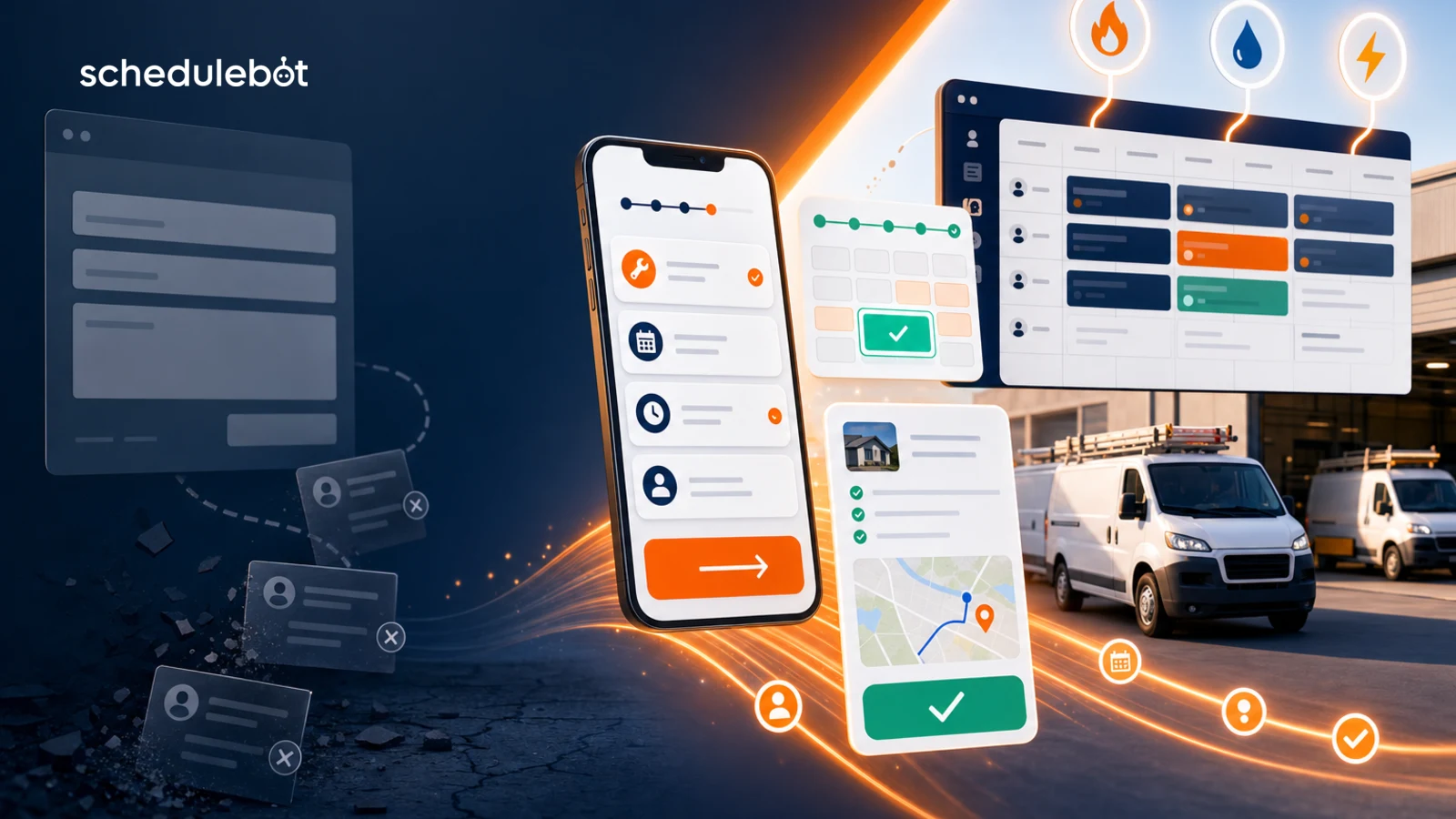
Connects to every major lead platform

3x
More re bookings
40%
Reply-to-booking rate
0
Manual steps
24/7
Always on

How it works

Set it up once.
Your board fills itself.

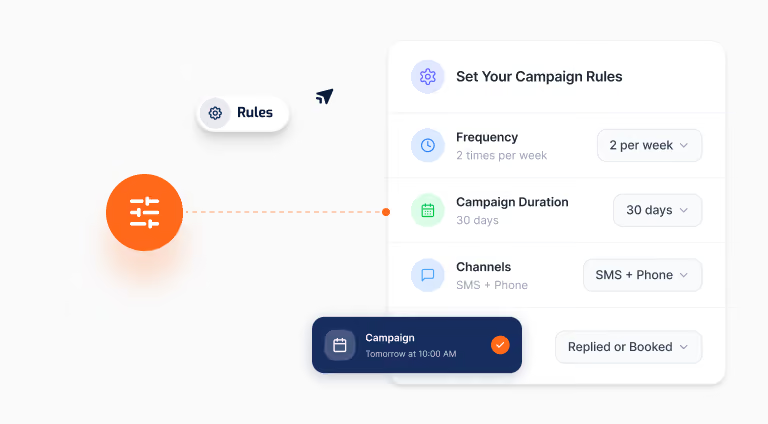
Pick your audience, choose your campaign type, and ScheduleBot handles every conversation from first touch to booked job.
Choose your audience visual for outbound lead follow-up automation
Step 1
Choose your audience
Target by service history, job type, last visit date, or membership status. Send to 10 customers or 10,000 with the same setup.
Pick your campaign type visual for outbound lead follow-up automation
Step 2
Pick your campaign type
Maintenance reminder, estimate follow-up, membership renewal, win-back, or a custom marketing message. Prebuilt templates get you live in minutes.
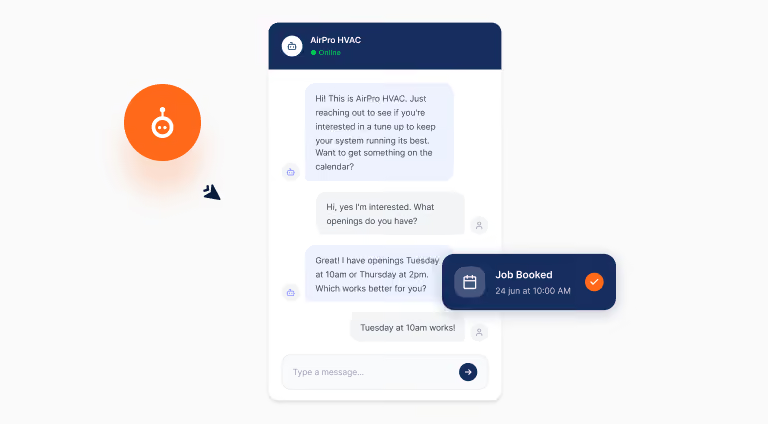
AI handles every reply visual for outbound lead follow-up automation
Step 3
AI handles every reply
When a customer responds, ScheduleBot picks up the conversation, qualifies the job, and guides them to booking without any involvement from your team.

Campaign types

Every reason to reach out, handled automatically

Prebuilt campaigns for the most common outbound use cases. Go live in minutes, not weeks.

Fast response time visual for ScheduleBot
Maintenance reminders
Reach customers who are due for their annual tune-up, filter change, or seasonal service. ScheduleBot sends the message, handles the reply, and books the job without any manual work from your team.
Integration workflow visual for ScheduleBot
Estimate follow-ups
Most unsold estimates go cold because no one follows up. ScheduleBot automatically re-engages customers who received a quote but never booked, answers questions, and closes the job.
Revenue growth visual for ScheduleBot
Marketing campaigns
Seasonal promotions, special offers, and service announcements sent to the right customers at the right time. Fully personalized, fully automated, with AI handling every conversation that comes back.
star line visual for outbound lead follow-up automation
Membership renewals
Catch members before their plan lapses. ScheduleBot reaches out at the right time, handles any questions about renewal options, and keeps your membership base healthy without your team lifting a finger.

Win back visual for outbound lead follow-up automation
Win-back campaigns
Re-engage customers who haven't booked in 12+ months. A well-timed message with a simple offer is often all it takes. ScheduleBot identifies who to contact and handles everything from there.
Fast response time visual for ScheduleBot
Custom campaigns
Build your own outbound campaign from scratch. Define the audience, the message, and the timing. ScheduleBot handles the delivery, the replies, and the bookings exactly as you set it up.
ScheduleBot outbound lead follow-up automation product visual

Features

Everything you need to
run outbound at scale

Icon of an orange person above an orange hand with a circular dotted border surrounding them.
SMS and call campaigns
Reach customers through the channel that works best. Text campaigns for quick engagement, voice calls for customers who prefer to talk. Both handled by AI from first touch to booking.
Orange laptop with a white phone icon in an orange chat bubble above the screen.
Multi-touch drip sequences
One message is rarely enough. ScheduleBot runs multi-step campaigns that follow up automatically until the customer books or opts out, with smart timing between each touch.
Orange stopwatch with black hands showing 2:15 and a small white button on top.
On-brand AI conversations
Every reply is handled in your company's voice. Customers feel like they're talking to your best team member, not a generic bot. Fully configurable to match your tone and services.
Two overlapping speech bubbles, one white in front and one orange behind.
CRM auto-booking
Every confirmed job lands in your CRM automatically with the right job type, customer info, and notes attached. No copy-paste, no manual entry, no dropped details.
Orange kitchen timer showing the time at about 12 minutes past the hour.
Smart audience targeting
Filter your customer list by service history, job type, last visit, or membership tier. Send the right message to the right customer at exactly the right time.
Orange house icon with a white door and an energy bolt symbol above it.
Campaign analytics
Track sends, reply rates, bookings, and revenue generated for every campaign. Know exactly what's working and optimize from real data, not guesswork.

Customer stories

Contractors growing revenue with Outbound

"We had 2,000 customers in our CRM who hadn't booked in over a year. ScheduleBot ran a win-back campaign and we booked $60K in jobs in the first month."
ScheduleBot speed-to-lead and booking automation product visual
James M.
HVAC Owner · Nashville, TN
"Our estimate close rate went from 30% to 58% after we turned on the follow-up campaign. We were just leaving money on the table before."
ScheduleBot speed-to-lead and booking automation product visual
Karen L.
Plumbing Co. · Denver, CO
"Membership renewals used to take our office staff a full week every quarter. Now ScheduleBot handles it automatically and our renewal rate is up 22%."
ScheduleBot speed-to-lead and booking automation product visual
Tom R.
Electrical Contractor · Atlanta, GA
"We were paying Angi $80 a lead and losing half of them because we couldn't respond fast enough. ScheduleBot pays for itself with the first two leads it saves every month."
ScheduleBot speed-to-lead and booking automation product visual
Mike T.
HVAC Owner · Dallas, TX
"Our Yelp leads used to sit for hours before someone called back. Now they get a text in seconds and we're booking 3x as many jobs from the same And spend."
ScheduleBot speed-to-lead and booking automation product visual
Sarah R.
Plumbing Co. · Austin, TX
"The drip campaigns alone changed our business. We re-engaged cold Thumbtack leads we'd written off and booked $40K in jobs we would have lost."
ScheduleBot speed-to-lead and booking automation product visual
David J.
Electrical Contractor · Phoenix, AZ

Frequently asked questions

Who does ScheduleBot reach out to?
arrow down

You define the audience. Filter by service history, job type, last visit date, membership status, or any combination. You can target a specific segment of 50 customers or run a campaign to your entire list.

What channels does Outbound use?
arrow down

SMS and phone calls. You can use either or both within the same drip campaign, with configurable timing between each touch. SMS typically drives faster replies; calls work well for higher-ticket services and older customer segments.

What happens when a customer replies?
arrow down

ScheduleBot's AI picks up the conversation immediately, qualifies the job, answers questions, and guides the customer to booking. No one on your team needs to be involved unless the AI escalates a situation that needs a human touch.

How does the job get into my CRM?
arrow down

Automatically. Once a customer confirms, ScheduleBot creates the job in your CRM with the correct job type, customer details, and any notes from the conversation. Your dispatcher sees a complete, ready-to-assign job with no manual entry required.

Can customers opt out?
arrow down

Yes. Any customer can reply STOP at any time and they are immediately removed from all outbound campaigns. ScheduleBot handles opt-out compliance automatically so you never have to manage it manually.

How long does it take to launch a campaign?
arrow down

Prebuilt campaign templates are ready to go out of the box. For standard use cases like maintenance reminders or estimate follow-ups, you can be live within a day. Custom campaigns take a bit longer to configure but our team helps with setup.

Client ImageClient Image

Let’s Talk

Quick 20 min intro call - we'll go over your lead conversion and see how we can help.

Your next $50K is already in your customer list.

See how ScheduleBot Outbound can turn dormant customers
into booked jobs without any extra work from your team.
Thank you! Your submission has been received!
Oops! Something went wrong while submitting the form.